33 Years Later, I Finally Got My DOOM
How I turned my Debian home server into a browser-based gaming machine.
There are things you wanted as a kid that you eventually forget about. Not because you stopped wanting them, but because life happened. You grew up, got a job, paid bills, and suddenly decades had gone by.
And then one Saturday afternoon, you realize there’s absolutely nothing stopping you from getting one of those things.
For me, it was DOOM.
It’s 1993 again
DOOM was released by id Software in December 1993. I was 14 years old, and computers were a completely different world.
Back then, you couldn’t simply open a browser, find a game, and start playing. You needed the right computer, enough memory, the right hardware, and probably a little luck.
I never got to enjoy DOOM the way I wanted when I was growing up.
Fast-forward 33 years.
I’m now 47, have two sons, and own a little Intel NUC running Debian Linux. That tiny machine already hosts several websites, my family’s photo library, music streaming, and other projects.
And apparently, it was missing something important.
DOOM.
What if I could just play it in my browser?
The original idea was simple.
I didn’t want to install a game on my Mac. I didn’t want a modern remake with fancy graphics, either. I wanted the original experience, those beautiful pixelated corridors, the monsters, the music, and everything else that made DOOM what it was.
But I also wanted to make it accessible from anywhere, just by visiting a website.
Something like:
No game installation on the computer. No Windows. No virtual machine to boot manually.
Just open the browser and play.
Naturally, I asked ChatGPT whether we could do it.
Of course we could.
The little server that could
My Intel NUC runs Debian Linux and Docker. Over time, it has become something of a playground for my various projects.
The beauty of Docker is that each application can have its own little environment without interfering with everything else.
For DOOM, the architecture is surprisingly simple:
Browser → Cloudflare Tunnel → Nginx in Docker → js-dos → DOOM
Nginx serves the website and the game files. A JavaScript-based DOS emulator called js-dos runs the original game inside the browser.
The interesting part is that the NUC doesn’t actually need to run the game itself. It serves the files, and the browser does the emulation.
The NUC is basically handing you a copy of 1993 and saying, “Here you go.”
Finding the original DOOM
We started with the shareware version of DOOM 1.9.
The original distribution contains the game executable and a WAD file holding the game’s data.
The two important files are:
DOOM.EXE— the original DOS executableDOOM1.WAD— the shareware game data
There’s something strangely satisfying about handling files that originated in an era when games came on floppy disks.
Modern games can occupy over 100 gigabytes. The original DOOM shareware distribution was only a few megabytes.
And somehow, those few megabytes contain an entire world.
Docker, Nginx, and a little DOS magic
The project lives in its own directory on my Debian server:
~/apps/doom/
├── compose.yaml
├── public/
│   ├── index.html
│   └── doom.jsdos
└── game/
    ├── DOOM.EXE
    ├── DOOM1.WAD
    └── .jsdos/
        └── dosbox.conf
The Nginx container serves the browser application, while the .jsdos bundle contains the original DOS game and the emulator configuration.
The Docker Compose configuration is minimal:
services:
  doom:
    image: nginx:stable-alpine
    container_name: doom
    restart: unless-stopped
    ports:
      - "127.0.0.1:8093:80"
    volumes:
      - ./public:/usr/share/nginx/html:ro
That’s it. No database, no PHP, and no complicated backend.
The game is launched automatically by the emulator using a DOSBox configuration. From there, it’s the same old DOOM.
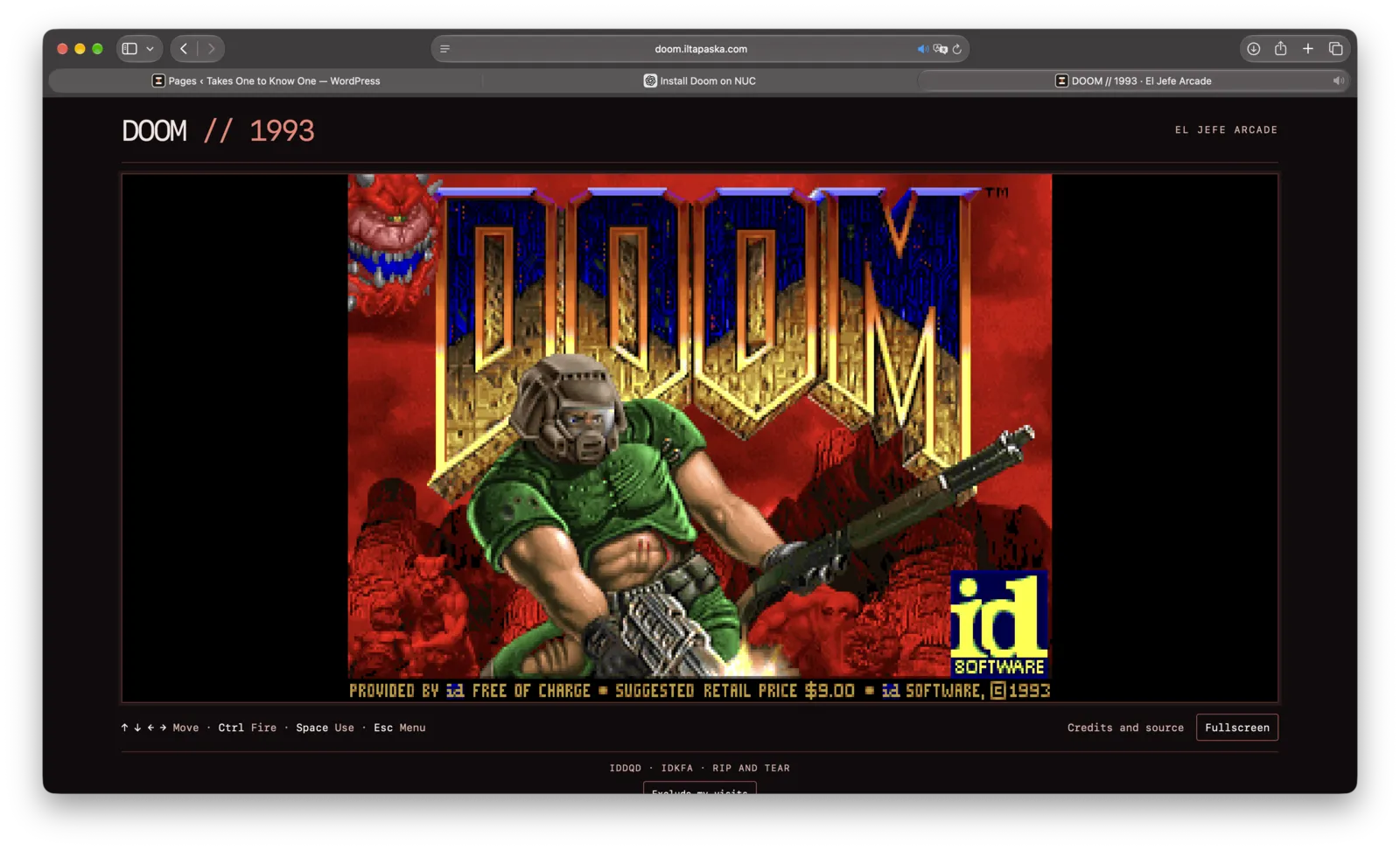
We also built a simple dark interface around the game, with the title DOOM // 1993 and a little EL JEFE ARCADE branding.
Because why not?
Making it available through the internet
I already use Cloudflare Tunnel to access applications running on my home server, so adding DOOM was a natural extension of the existing setup.
The idea is to access the game through an HTTPS address without opening a conventional inbound port on my home router.
And since everything lives in its own Docker project, the rest of my server can continue doing its thing. WordPress keeps running. My music library keeps running. Family photos remain available.
And somewhere among all those useful services, there’s a 33-year-old first-person shooter. Priorities.
The moment it actually worked
On my Debian NUC. In a web browser. In 2026.
I’m not entirely sure which part I enjoy more: playing the game or knowing that I built a little corner of the internet where this is possible.
There’s something wonderful about old software. It was built for computers with a fraction of the processing power of a modern smartphone, and yet decades later, it can still entertain us.
No subscriptions. No daily rewards. No battle passes.
Just a shotgun, some monsters, and a lot of pixelated corridors.
Sometimes you just have to do things because they’re fun
I’ve spent a good part of my adult life working, learning, building things, and chasing the next achievement.
But not every project needs a business model.
Not everything needs to improve productivity or become something useful.
Sometimes it’s perfectly reasonable to spend an afternoon making a 1993 computer game run on a Linux server.
Especially when you’re doing it for the kid who never got to experience it properly the first time around.
And now I can even show it to my own boys.
Thirty-three years later, I finally have my DOOM.
And perhaps that’s enough of a reason to build something.
Built with Debian Linux, Docker, Nginx, js-dos, Cloudflare Tunnel, and a little help from Codex.
IDDQD. IDKFA.
I know what i'm doing!
The week in pictures